
The Receipt Management Problem Nobody Talks About
Let me paint a picture you probably know too well.
It's Sunday evening. You've got a crumpled stack of receipts from the week sitting on your desk. There's that coffee-stained one from Tuesday's client lunch. The faded Home Depot receipt that's already becoming illegible. Three digital receipts buried somewhere in your inbox. And the Uber ride you're not even sure you can find anymore.
You open your beautiful Notion expense tracker - the one you spent two hours setting up with color-coded categories and that satisfying database view. You type in the first receipt. Then the second. By the third one, you're already thinking about what's on Netflix.
Two weeks later? That stack has turned into a shoebox. Your Notion database is a ghost town. And somewhere in the back of your mind, you're dreading tax season.
Sound familiar? You're not alone.
Why Manual Receipt Entry Is Costing You More Than Time
Here's the thing nobody tells you: manual receipt entry isn't just tedious - it's actually expensive.
I used to think I was careful with manual entry. Really careful. Then I found a receipt where I'd typed $47.23 as $472.30. That's not a typo you want your accountant discovering during an audit.
Studies show manual data entry has a 22% error rate - that's one mistake for every five receipts. And those mistakes? They compound. Wrong amounts throw off your budget tracking. Missed receipts mean missed deductions. And when tax season rolls around, you're either scrambling to fix errors or leaving money on the table.
The Hidden Costs of "I'll Enter It Later"
Faded thermal paper receipts become illegible within 6-12 months
Digital receipts buried in promotional emails get archived or deleted
Memory of purchase context fades, making categorization guesswork
Tax-deductible expenses slip through the cracks
Weekend catch-up sessions that never actually happen
The good news? You don't have to choose between Notion's flexibility and the automation of traditional accounting software. That's exactly why I started using BankSync - and it's completely changed how I handle expenses.
What Automated Receipt Tracking Actually Looks Like
Before we dive into the setup, let me show you what your daily workflow becomes:
Monday morning: You get an email receipt from Amazon for office supplies. You forward it to your BankSync inbox (one tap on mobile). Done.
Tuesday lunch: Client meeting receipt? Snap a photo with the BankSync mobile app. Done.
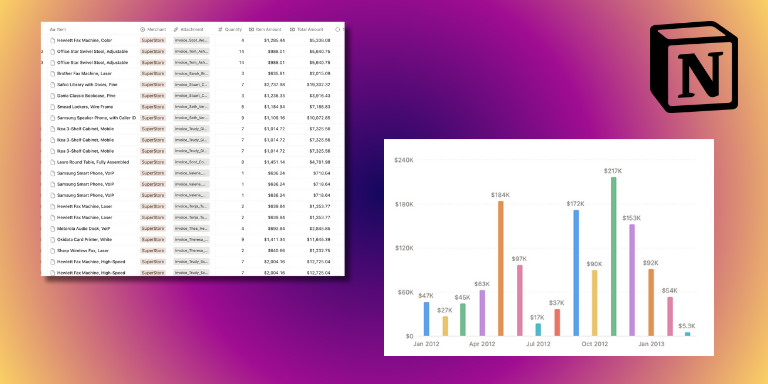
Wednesday: You open your Notion database. Every receipt is already there - merchant name, date, amount, tax, and category all extracted and populated. The receipt images are attached. Your dashboard shows real-time spending by category.
That's it. No Sunday data entry marathons. No lost receipts. No guessing what that $47 charge was for three months ago.
Step-by-Step: Setting Up Your Automated Notion Receipt Tracker
Alright, let's get your hands dirty. The whole setup takes about 15 minutes, and I'll walk you through every step - including the gotchas I ran into so you can avoid them.
Complete Setup Guide
Create Your Receipt Database in Notion
Start with a new Notion database (or use one of Notion's 1,000+ budget templates). Create columns for: Date (Date property), Merchant (Text), Amount (Number, currency format), Tax (Number), Category (Select), and Receipt Image (Files & media). Pro tip: Use standard column names - BankSync auto-detects and maps them automatically.
Sign Up for BankSync and Connect Notion
Head to BankSync and create an account. Click 'Add New Sync' and select Notion as your destination. Authorize BankSync to access your Notion workspace - this is a standard OAuth flow that takes about 10 seconds. Important: When Notion asks which pages to share, make sure you select the database you just created.
Select Your Notion Database
After connecting, BankSync shows your Notion databases. Select your receipt tracker database. BankSync analyzes your schema and suggests field mappings. Quick gotcha: If your database doesn't appear, check that it's shared with the BankSync integration in Notion's share settings.
Configure Field Mapping
BankSync auto-maps common fields, but double-check that: Merchant Name maps to Merchant, Transaction Date maps to Date, Total Amount maps to Amount, Tax maps to Tax, and Receipt Image maps to your Files property. You can add custom mappings for line items or payment method.
Set Up Automatic Categorization Rules
Create rules like: 'Merchant contains Home Depot -> Category: Office Supplies' or 'Merchant contains Uber -> Category: Transportation'. Start with 5-10 broad categories - I made the mistake of creating 50 categories right away and it was overwhelming. Refine later based on your spending patterns.
Get Your BankSync Email Address
BankSync generates a unique email address (like receipts-abc123@in.banksync.com). This is your receipt inbox - any email forwarded here gets processed automatically. Power user tip: Add this address to your contacts as 'BankSync Receipts' so it autocompletes when forwarding.
Test With Your First Receipt
Find a recent receipt email and forward it to your BankSync address. Within 30-60 seconds, check your Notion database. You should see a new entry with all extracted data populated. If something looks off, check your field mappings - most issues are just a column that didn't get mapped correctly.
Level Up: Building Powerful Notion Expense Dashboards
Once your receipts are syncing automatically, this is where Notion really shines. Here's how to build a dashboard that gives you instant financial visibility.
Essential Notion Formulas for Receipt Tracking
Add these formula properties to your database to unlock powerful tracking:
1// Monthly Expense Check - Shows if receipt is from current month2formatDate(prop("Date"), "YYYY-MM") == formatDate(now(), "YYYY-MM")34// Quarterly Total Formula - For rollup calculations5prop("Amount") * (if(prop("Is This Quarter"), 1, 0))67// Tax Deductible Flag - Automatically flags deductible categories8if(9 contains(["Office Supplies", "Software", "Travel", "Professional Development"], prop("Category")),10 true,11 false12)1314// Days Since Purchase - Useful for return window tracking15dateBetween(now(), prop("Date"), "days") + " days ago"
Create Multiple Views for Different Needs
Monthly View
Filter by current month, sorted by date descending
By Category View
Group by category, see spending breakdown at a glance
By Merchant View
See how much you're spending at each vendor
Tax Deductible View
Filter to only show deductible expenses
Needs Review View
Filter for uncategorized or flagged receipts
Why This Approach Works: The Benefits Breakdown
Save 2-3 hours every week
No more Sunday data entry marathons
95%+ accuracy
AI extraction beats human error rates by a mile
Audit-ready records
Digital copies with original images attached
Never miss a deduction
Capture every expense automatically
Zero mental load
Forward and forget - it just works
Real-time visibility
Your dashboard updates as receipts sync
Notion flexibility
Customize your database exactly how you want
Real Results: What Users Are Saying
"I used to spend every Sunday afternoon entering receipts into Notion. Now I just forward emails as they come in, and by the time I check my dashboard on Monday, everything's already there. Last month I found $847 in deductions I would have missed with my old system. BankSync paid for itself in the first week."
Common Use Cases
Content Creators and Influencers
My friend Sarah is a YouTuber, and she was constantly losing receipts for camera gear, props, software subscriptions - you name it. Come tax season, she'd be scrambling to remember what that $200 Amazon purchase was for.
Now she just forwards receipt emails, and everything gets categorized automatically. She even links receipts to specific video projects in Notion, so she can see exactly how much each video cost to produce. Complete game changer.
Freelancers and Consultants
Track client expenses, software subscriptions, and home office costs in one place. Link receipts to specific clients or projects for easy invoicing and expense reporting. No more digging through emails when a client asks for expense documentation.
Small Business Owners
Replace expensive accounting software with a flexible Notion-based system. Set up approval workflows using status properties - receipts sync with "Pending Review" status, and team members approve directly in Notion. All the power, none of the enterprise pricing.
Frequently Asked Questions
Ready to Stop the Manual Entry Madness?
Look, I'm not going to tell you this will solve all your problems. But it solved mine.
I went from spending 2-3 hours every Sunday entering receipts to... zero hours. I just forward emails as I get them, snap photos of paper receipts, and by the time I check my Notion database, everything's already there - categorized, organized, and ready to go.
The setup takes 15 minutes. The ROI is immediate. And that Sunday afternoon you used to spend on data entry? It's yours again.
Got questions? Drop a comment below or reach out on Twitter - I'm always happy to help fellow Notion nerds get set up.